
If you visit Korea, you will quickly notice that many restaurants and cafes use self-order kiosks instead of traditional counters.
For first-time visitors, these kiosks can feel confusing, especially if the screen is mostly in Korean.
However, once you understand the basics, using them becomes much easier.
Why Korea Uses Self-Order Kiosks
Self-order kiosks are very common in Korea because they:
- Reduce waiting time
- Make ordering faster
- Help stores manage fewer staff
You can find kiosks in:
- Fast food restaurants
- Cafes
- Korean BBQ restaurants
- Dessert shops
Some convenience stores and train stations also use similar systems.
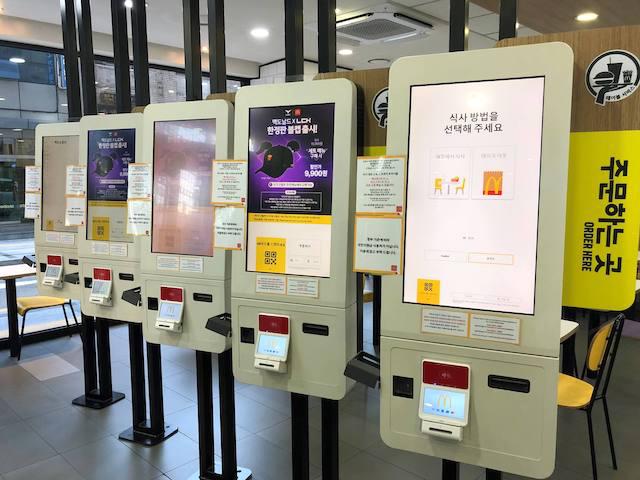
How to Use a Korean Kiosk
Most kiosks follow a similar process.
- Select your language (if available)
- Choose menu items
- Confirm your order
- Pay by card or mobile payment
- Receive a receipt or order number
Some kiosks support English, Chinese, or Japanese.
Common Problems Foreigners Face
Tourists often struggle with:
- Korean-only menus
- Payment card errors
- Not knowing where to pick up food
If you are unsure, restaurant staff will usually help if asked politely.
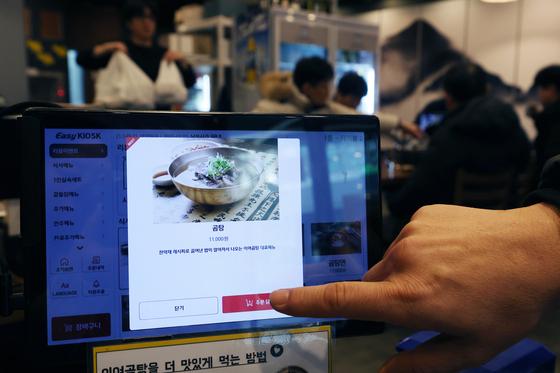
Tips for Using Kiosks in Korea
To make ordering easier:
- Use Papago to translate the screen
- Prepare your payment card in advance
- Look at food pictures carefully
- Watch how locals use the kiosk
Many kiosks are easier than they first appear.
Card Payment Tips
Most kiosks in Korea accept:
- International credit cards
- Korean cards
- Mobile payments
However, some smaller restaurants may only accept Korean-issued cards.
It is helpful to carry a backup payment option.
Final Thoughts
Self-order kiosks are now part of everyday life in Korea.
Although they may seem intimidating at first, they are actually simple once you get used to them.
Learning how to use kiosks will make dining and shopping in Korea much more convenient.